AI and Special Education: How Tech Can Support IEP Goals
Parents hear “AI” everywhere, but it can feel unclear how it fits into your child’s special education plan. You may be wondering whether new tools will actually help your child read, write, communicate or stay organized, or whether they will create new problems around privacy and fairness.
When used thoughtfully, AI and special education can work together to support IEP goals, especially when AI is paired with proven assistive technology. The key is to treat AI as a tool, not a replacement for instruction, related services or a trained team.
This guide explains what AI-powered supports can do, how to spot good options, what to ask for in an IEP meeting and how to protect your child’s rights, data and dignity.
Understanding AI and Special Education
In special education, “AI” usually means software that can recognize speech, predict words, personalize practice or summarize information. It can be built into devices your child already uses, like tablets, Chromebooks and learning apps. Assistive technology, often called AT, is any tool that helps a student access learning, communicate or show what they know. Some AT is low tech, like pencil grips. Some is high tech, like speech-generating devices.
AI becomes most useful when it strengthens three things your child’s IEP already targets:
- Access: Helping your child take in information (reading, listening, seeing)
- Expression: Helping your child show learning (writing, speaking, creating)
- Independence: Helping your child plan, start and finish tasks
Legally, assistive technology can be part of a student’s free appropriate public education. IEP teams are expected to consider whether AT is needed and, if it is, specify the tools, services and training. AI tools may be considered AT if they help your child meet IEP goals or access the curriculum. Your school may also use AI tools as general education technology, but that does not automatically make them appropriate for your child’s disability-related needs.
A helpful way to think about AI and special education is this: AI can support instruction, but it does not replace explicit teaching, accommodations, specialized instruction, progress monitoring or human decision-making by the IEP team.
Recognizing the Signs or When to Be Concerned
AI tools are most helpful when there is a clear match between your child’s needs and the tool’s function. Start with the IEP goal, then ask what barrier is getting in the way.
Common needs that AI-powered assistive tech may support include:
- Reading access (text-to-speech, reading supports, simplified summaries)
- Writing production (speech-to-text, word prediction, grammar supports)
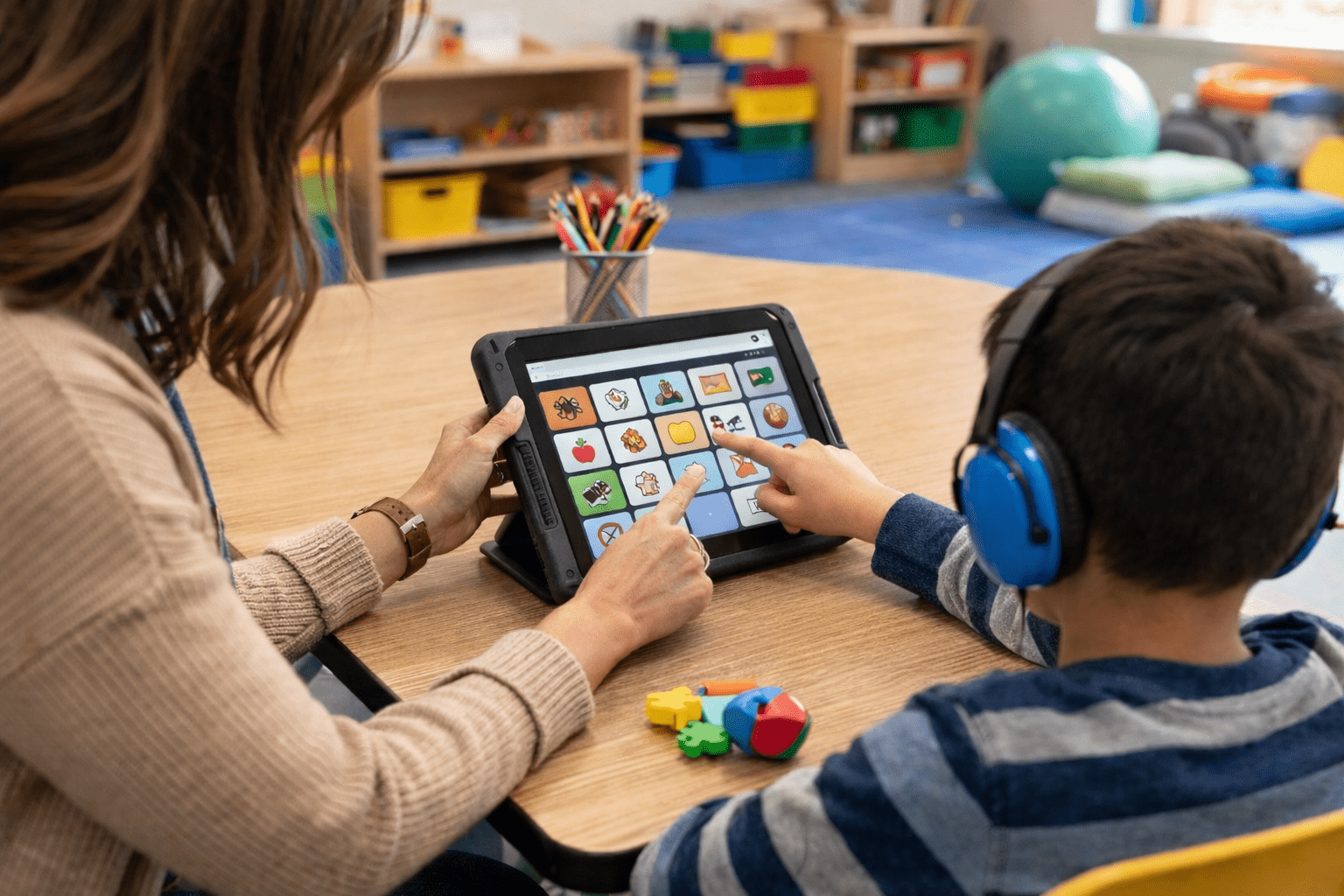
- Communication (AAC systems with smarter vocabulary organization)
- Attention and organization (reminders, step-by-step task prompting)
- Social communication practice (structured role-play tools, feedback cues)
Age-based examples can help you picture what “fit” looks like.
- Preschool to kindergarten: Picture-based communication, simple speech output, routine visual schedules and short listening supports
- Elementary school: Text-to-speech for content, speech-to-text for writing, spelling supports, basic organization prompts
- Middle school: Note supports, reading comprehension scaffolds, planning tools, writing supports that reduce fatigue
- High school: Independence tools for longer assignments, workplace-ready communication supports, studying and test prep accommodations
Red flags to watch for, especially with AI and special education tools:
- The tool is used as a “babysitter” instead of instruction
- Your child is expected to use it without training or adult support
- Staff say, “The app will fix it,” but the IEP goals do not change
- The tool produces errors that confuse your child (wrong words, wrong math steps)
- The tool limits your child’s voice, like rewriting everything into a generic style
- The school cannot explain what data the tool collects or who can see it
- The school suggests AI instead of required services (speech therapy, OT, reading intervention)
If any of these are happening, the issue is not that technology is “bad.” It is that the tool is not being used ethically, safely or in a way that supports the IEP.
The Research or Science Behind It
Assistive technology is strongest when it reduces a disability-related barrier so your child can use their brain for learning, not for fighting the format. For example, a student with dyslexia may understand science concepts but struggle to decode grade-level text. Text-to-speech can reduce decoding load so comprehension can improve. A student with dysgraphia may have strong ideas but fatigue quickly with handwriting. Speech-to-text can lower the motor and spelling burden so the student can focus on organizing thoughts.
From a brain development perspective, many students with disabilities benefit from:
- Reduced working memory load: Tools that hold information, like read-aloud, note supports and checklists
- More consistent feedback: Practice tools that give immediate correction, when paired with teaching
- Multiple ways to input and output: Speaking, typing, selecting symbols, listening, viewing
Research on AT shows it can improve access and performance when the tool is matched to the student’s needs and supported with training. AI adds potential advantages, like more responsive speech recognition, better prediction for word choice and faster customization. But AI also introduces new risks: biased outputs, incorrect information and data collection that families may not expect.
Long-term outcomes depend on how the tool is used. The goal is not to make your child dependent on a device. The goal is to build skills and independence while ensuring access today. Timing matters because the longer a student struggles without access, the more likely they are to fall behind academically and emotionally. When AI and special education supports are introduced early, with good instruction, students can spend more time learning content and less time stuck on the mechanics.
A practical guardrail: if a tool changes what your child produces, the team should decide whether the goal is access, remediation or both. For instance, spellcheck can support access for writing assignments, but a student may still need structured spelling instruction if spelling is an IEP goal.
How to Access Support or Take Action
You do not need to be a technology expert to advocate effectively. You need a clear picture of your child’s barriers and a plan for testing tools.
Step-by-step actions parents can take:
- Start with the IEP goals and present levels. Identify where your child is getting stuck: decoding, written expression, communication, organization or behavior regulation.
- Ask for an assistive technology consideration. In writing, request that the team consider AT and document the decision in the IEP.
- Request an AT evaluation if needed. If the team is unsure what tool fits, ask for an assistive technology evaluation by qualified staff.
- Ask for a trial period. A short trial with 1 to 3 tools can show what works. Require a plan for collecting data during the trial.
- Define success measures. Examples include fewer breakdowns, improved work completion, higher reading comprehension scores with access supports, more independent communication attempts.
- Put details into the IEP. Include the tool name or feature set, when it will be used, who supports it and what training will happen.
- Include training and support. The IEP should cover training for your child, educators and you when appropriate.
- Build an ethics and privacy checklist. Ask what student data is collected, where it is stored, who has access, whether it is used to train models and how you can opt out.
Parent rights to remember:
- You can request evaluations related to suspected needs, including AT.
- The school must provide accommodations and services in the IEP, not “if we have time.”
- Decisions should be based on data, not trends or marketing.
- If a tool is necessary for access, it should be available consistently across settings where the IEP requires it.
Timeline expectations vary by district, but a reasonable process includes a prompt team discussion, an evaluation if warranted, a time-limited trial and a follow-up meeting to make decisions based on evidence.
What Happens Next or Transition Planning
Once a tool is selected, the most important phase begins: implementation. Many AT plans fail because the device exists but no one knows when, how or why to use it.
What parents can expect when AI and special education supports are implemented well:
- A clear plan for when the tool is used (specific classes, assignments and settings)
- Staff training, not just a quick handoff
- Student training that includes self-advocacy, like how to request the tool
- Regular progress monitoring tied to IEP goals
- Backup plans for device issues, testing days and substitute teachers
If your child has a 504 plan rather than an IEP, similar principles apply: tools and accommodations should be specific, consistent and supported by staff.
Transitions are especially important:
- Preschool to elementary: Make sure communication supports, visual schedules and access tools continue across settings.
- Elementary to middle school: Plan for multiple teachers, increased workload and organizational demands.
- Middle school to high school: Align tools with credit-bearing coursework, testing accommodations and independence.
- High school to postsecondary: Document what tools support access and discuss what the student will need in college, training programs or employment settings.
For students with IEPs, transition planning typically becomes more formal in the teen years. Assistive tech can be part of transition goals, such as self-advocacy, workplace communication and independent study routines. The long-term perspective is simple: the right tools can help your child participate more fully now while building skills for adulthood.
Frequently Asked Questions (FAQ)
How can AI and special education tools support IEP goals?
They can reduce barriers to reading, writing, communication and organization so a student can access instruction and show learning. The best results happen when tools are written into the IEP with training and progress monitoring.
Is AI considered assistive technology in an IEP?
It can be. If an AI feature helps your child access learning or meet IEP goals, it may qualify as assistive technology and should be documented with details about use and support.
What happens if the AI tool gives wrong answers or unsafe outputs?
The tool should not be used for high-stakes decisions without adult review. Ask the team to limit use cases, add supervision steps and track errors during a trial period.
Is it free through the school, or do parents have to buy it?
If the IEP team determines a tool is necessary for FAPE, the school is generally responsible for providing it and supporting its use. Ask for the decision and responsibilities to be written into the IEP.
How do I qualify for an assistive technology evaluation?
Request it in writing and explain the barrier your child faces, such as difficulty producing written work or communicating needs. The school should respond through its evaluation process and timeline.
When should I be concerned about privacy with AI and special education apps?
Be concerned if the school cannot explain what data is collected, where it is stored, who can access it or whether it is used beyond your child’s education. Ask for a privacy review and opt-out options when available.
Can AI replace reading intervention, speech therapy or OT?
No. AI can support access and practice, but it does not replace specialized instruction or related services when those are needed to meet IEP goals.
References
U.S. Department of Education, Office of Special Education Programs: Individuals with Disabilities Education Act Overview
Center for Parent Information and Resources: Assistive Technology for Children with Disabilities
National Institute of Child Health and Human Development: Reading Difficulties and Dyslexia Information
National Institute on Deafness and Other Communication Disorders: Assistive Devices for Communication
U.S. Federal Trade Commission: Protecting Children’s Privacy Online (COPPA Guidance)
UNESCO: Recommendation on the Ethics of Artificial Intelligence